Tuner
Tuner is a lightweight desktop widget built in C++ using Raylib that displays the currently playing songs on Linux. It shows album art, song title, artist, an animated equalizer, and supports dark/light themes.
Features:
- 🎵 Displays current song and artist.
- 🖼️ Downloads and shows album art asynchronously.
- ⚡ Efficient update loop with configurable polling interval.
Installing Tuner:
System
Linux(orUNIXsystem).clang++(to compile the code).make(automate build and install process).PulseaudioorPipewire(to get current playing songs).
More information about dependencies can be found in the Configuration section.
Install Tuner with the from source:
bash
# All distrobutions (only tested on Artix(and Arch) and Fedora currently)
git clone https://github.com/Ametrine-cc/Tuner.git
cd Tuner

make
sudo make install
Running
Installed run Tuner or use the Tuner.desktop to launch Tuner with a launcher like rofi or fuzzel.
bash
tunerOr use a launcher like the DMS launcher or fuzzel to launch Tuner from the Tuner.desktop file. 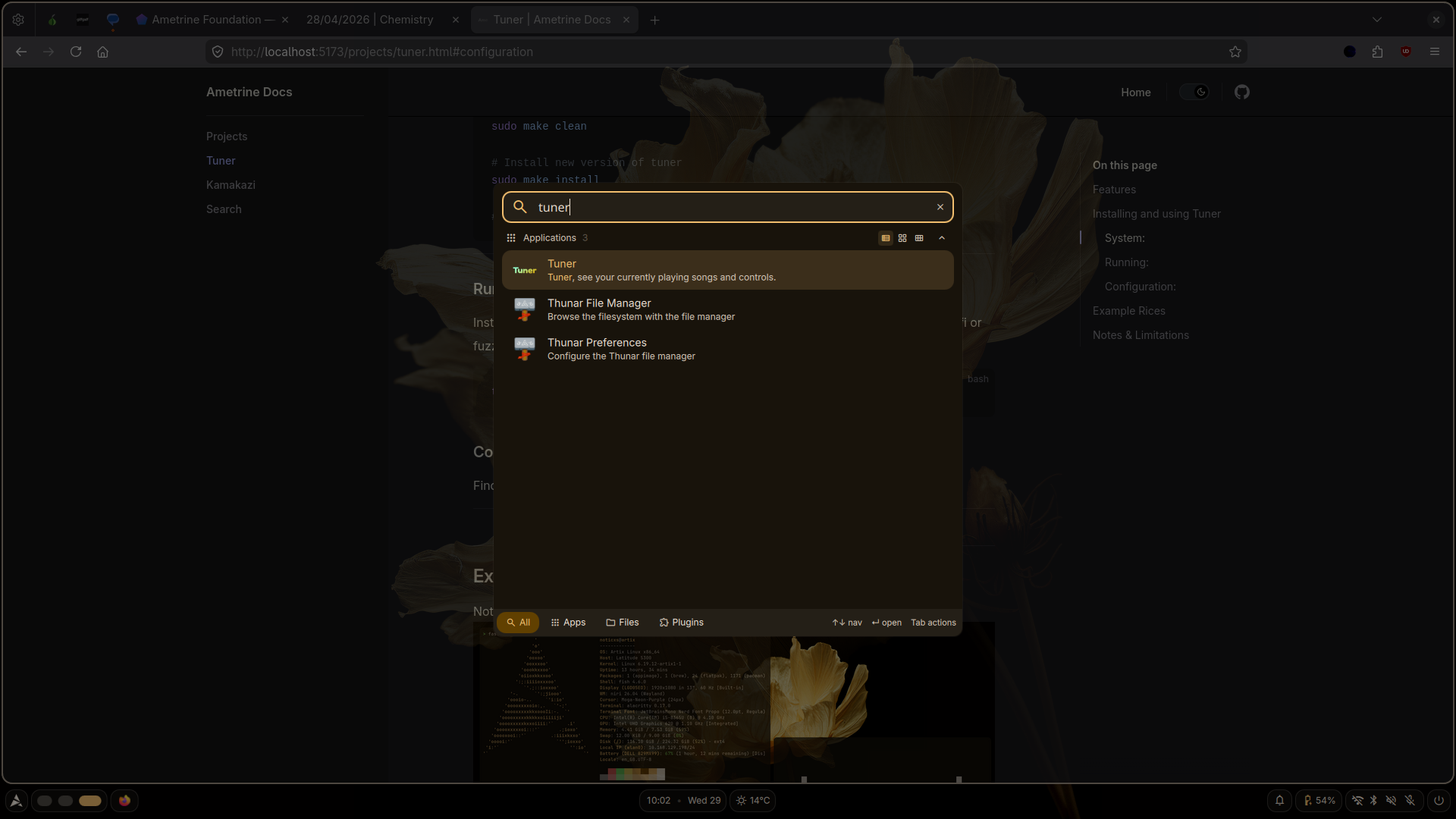
Configuration
With Tuner you can specify parameters for launch. Config.toml file located at $HOME/.tuner/config.toml is where any default settings can be presented.
This is an example of the default dark theme for Tuner.
toml
backgroundColor = [30,  30,  35,  255]
titleTextColor = [240, 240, 245, 255]
subtitleTextColor = [160, 160, 170, 255]
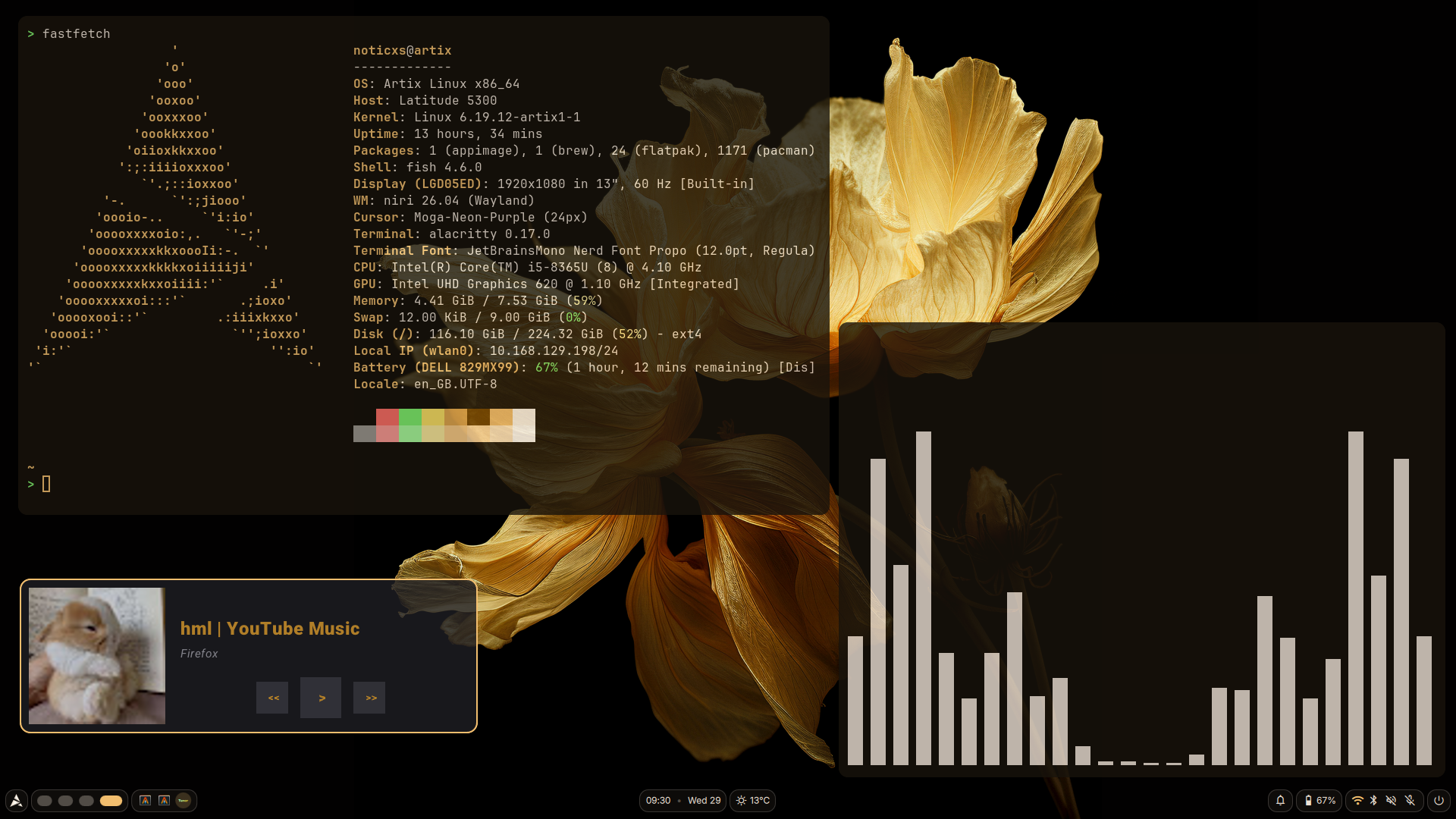
Example Rices:
Noticxs Personal Rice
Notes & Limitations:
LinuxandUNIXonly (no planned support for otherOS's, support for otherUNIXsystems other thanLinuxis not a main focus for the project).- No tray icon or background mode (yet).